
To be able to service your organ, we need to first know the model and serial number.
What to look for
The model and serial number are stamped (engraved) into a small metal plate (silver color with blank ink), a bit larger than the size of a business card. Each of the various models plates look slightly different. See examples in the locations where they are found below.
NOTE: On some modules there is more than one plate; however, only one will have the model and serial number stamped/etched into the metal plate. Be sure you are looking at the one with both of those numbers stamped into the plate.
Where to find it
For all Allen organs, you can find that in one of 3 places.
These locations are listed in the order of oldest models first to newest. If your organ is newer (build since 2000) then start with the last one first.
Under the keyboards
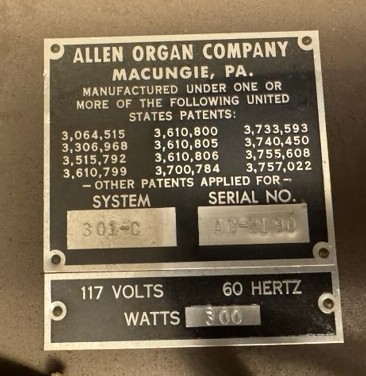
For the earliest models of Allen digital organs, you can find the model plate under the keyboards, by looking up from the pedals.
On the back console wall - inside
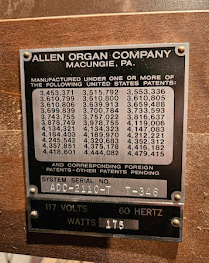
For organs in made in the 1980s through 1990s, you will find the plate on the inside back wall of the console. You will need to lift the top cover to access this panel.
On the back console wall - outside
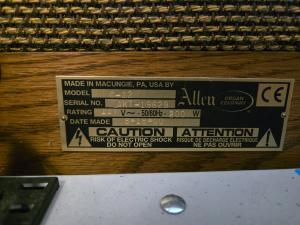
For organs made in the late 1990s through today you will find the plate on the back of the organ console (outside) at the bottom, near the center where the cables come out of the console.